
- This mode can be removed from Digital Wellbeing in Settings.
Tech Tips: Today most people have started using smartphones. People also get to see many advanced features in premium smartphones. At the same time, it is often seen that an icon like Bed suddenly starts appearing in the status bar on the top of the screen of your Android smartphone. But most people do not know about it. Let us know why suddenly the bed icon starts appearing on the phone and what the smartphone is trying to tell you.
What is Bed icon?

Actually, the Bed icon usually indicates that Bedtime Mode or Sleep Mode is active in your phone. This feature is part of Android’s Digital Wellbeing system and is designed to help users use their phones less at night.
The purpose of this feature is that people should use their smartphones less at night and as soon as the icon is shown, people should understand that it is time to sleep and the smartphone should be put away. Let us tell you that when this mode is on, the phone automatically changes some settings so that the habit of using mobile late at night can be reduced and it can help in getting better sleep.
What changes when Bedtime Mode is on
Let us tell you that after Bedtime Mode is activated, some changes take place in the phone.
- The screen can go into grayscale (Black & White) mode.
- Notifications can be completely silent.
- Do Not Disturb (DND) may turn on automatically.
- The effect on the eyes can also be reduced to some extent.
However, its features are slightly different in phones of different companies like Samsung, Google, OnePlus, Xiaomi and Motorola.
Why does the Bed icon appear automatically?
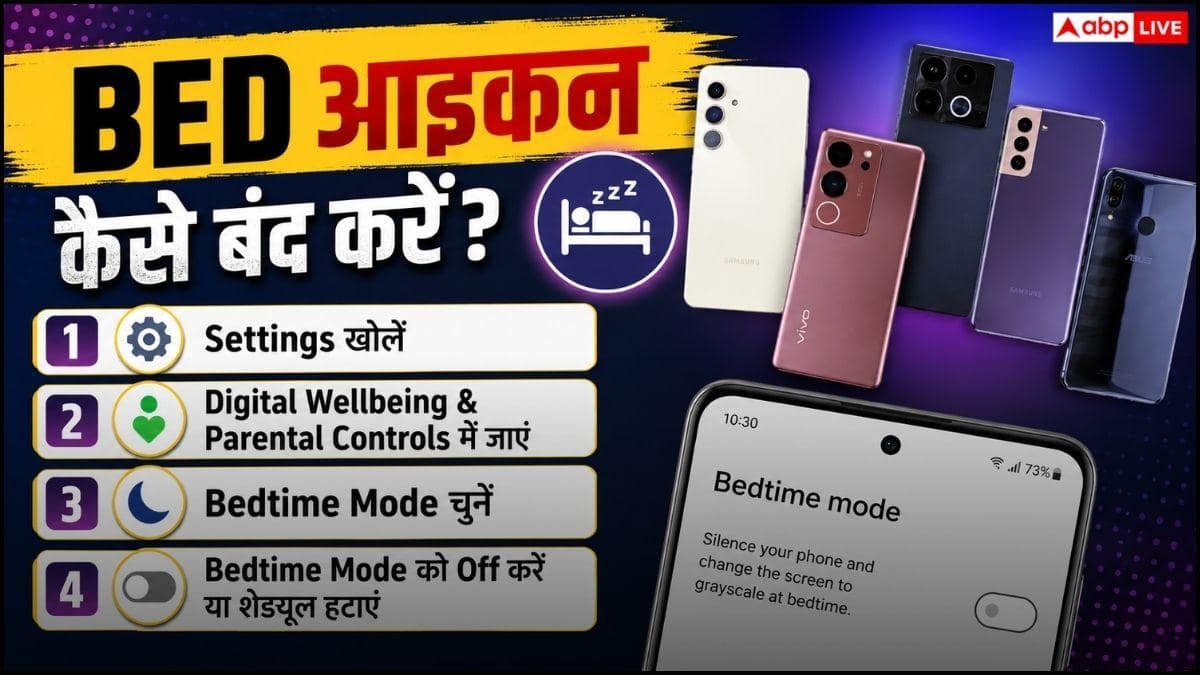
For information, let us tell you that if you have set a schedule for Bedtime Mode, then this icon will start appearing at the same time. For example, suppose you have set Bedtime Mode from 11 pm to 6 am, then every night you will see the bed icon showing on the phone from 11 pm onwards. Apart from this, some phones can also activate this feature during charging or on the basis of sleep routine.
How to remove Bed icon
Now if you also want to remove this icon from your smartphone, then it can be possible by following some important steps. You just have to follow these steps.
- Open the phone’s Settings.
- Go to Digital Wellbeing & Parental Controls.
- Select the option of Bedtime Mode or Sleep Mode.
- If there is a schedule set, turn it off.
- Turn off Bedtime Mode.
- After this the Bed icon will disappear from the status bar.
Does this cause any problems?
It is not like that at all. Let us tell you that this icon just tells you that it is time for you to sleep and now you should stop using your smartphone. This icon does not indicate any virus, system error or hardware malfunction at all. If the icon is not removed, restart the phone once and re-check the Bedtime Mode setting.
Should Bedtime Mode be used?
This decision completely depends on you. If you are troubled by the habit of using your mobile late at night or want to get good sleep, then Bedtime Mode can prove to be a wonderful feature for you. It helps you reduce screen time, reduce the hassle of notifications and build better digital habits. However, if you continuously receive important calls or messages at night, then you can customize the settings of this feature as per your need.
Also read:
Google Maps is showing wrong location on PC, know why this big error is happening?




