- Laptop battery affected, please use original charger.
Tech Tips: The use of laptops has increased very rapidly. Laptops are being used for everything from office to entertainment. Even children’s education is being done through laptops today. In such a situation, it has been seen many times that people start charging their smartphones in the USB port of the laptop. But do you know whether it is right to do so or not. Let us know what is its truth.
Is it safe to charge phone from laptop?
Let us tell you that if your laptop and charging cable are in good condition then charging the phone from the laptop is generally considered safe. Actually, the USB port provides a normal power supply so that the phone can be charged. However, this may take a lot of time for your phone to charge.
Nowadays, such safety features have been provided in advanced smartphones which protect the device from overcharging or excessive current. However, the charging speed from a laptop is often much lower than that of a wall charger. The reason for this is that most USB ports give low power output.
One mistake can cause big loss
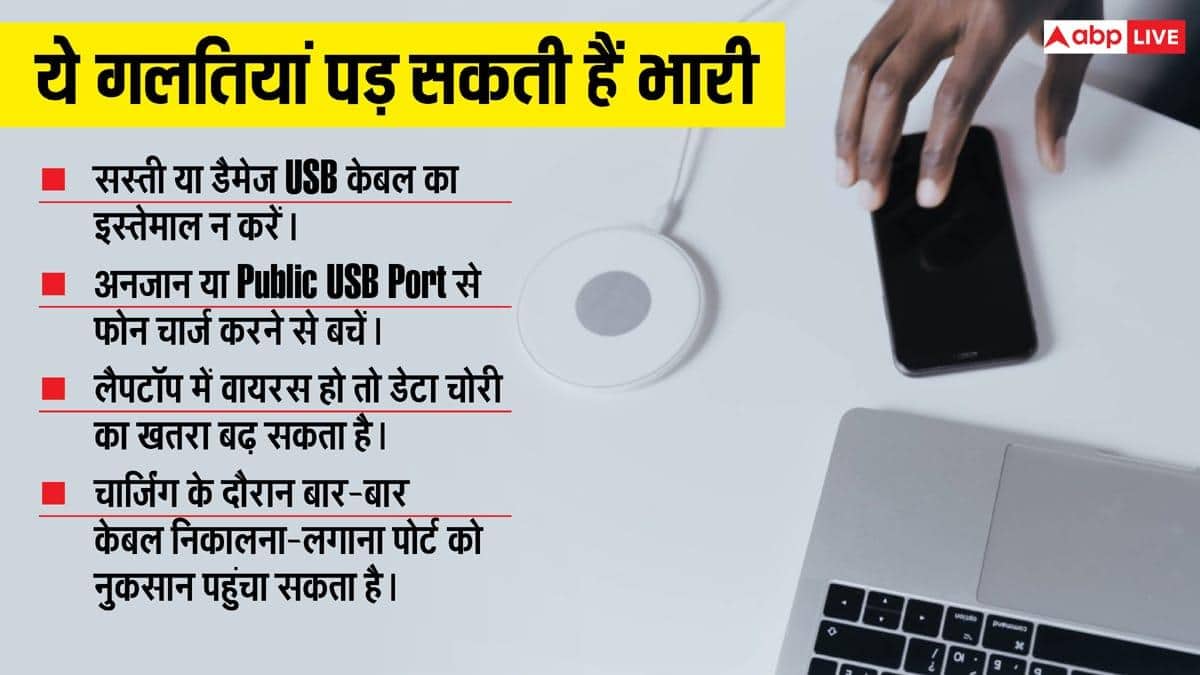
But even one mistake while charging your smartphone from laptop can become a big problem for you. Actually, the biggest mistake is to charge the phone from any stranger or someone else’s laptop.
There may be a risk of data theft or malware from such systems. When you connect the phone to a computer via USB, not only charging but also data transfer can open the way.
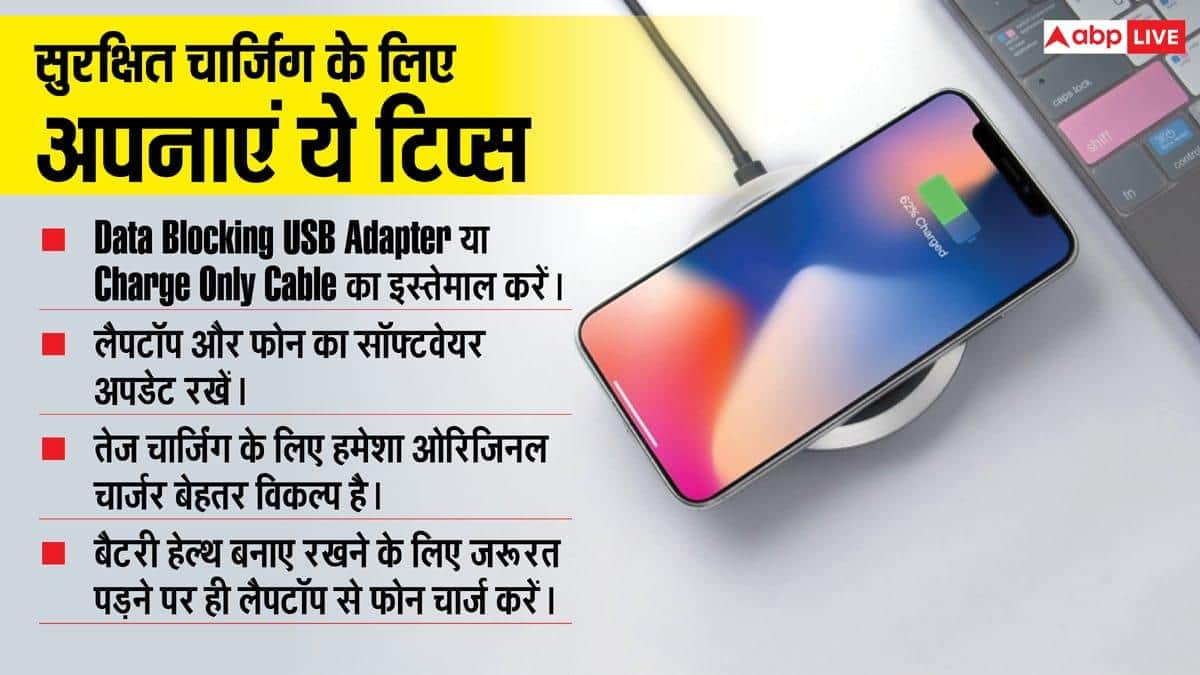
If File Transfer or Data Transfer mode is accidentally turned on in the phone, your personal information may also be at risk. Therefore, one should always use a reliable laptop and when necessary, Charge Only mode should be kept on in the phone.
Why does slow charging happen?
For information, let us tell you that if you have felt that it takes more time to charge the phone from the laptop, then there can be many reasons for this.
- USB 2.0 port provides low power.
- Old laptop does not support fast charging.
- Damaged or low quality USB cable.
- Continuous use of the phone while charging.
If your laptop has USB-C Power Delivery (PD) support, then sometimes the phone can also charge fast.
Does it affect laptop battery?
If you are charging your smartphone from your laptop, then it is natural that the laptop battery starts discharging rapidly. This happens because extra power supply is required to charge the phone.
If the laptop is connected to the charger then usually there is no such major problem. But if multiple devices are being charged simultaneously for a long time then your system may get damaged.
Be sure to keep these things in mind
Let us tell you that if you also charge your phone from your laptop, then some important things should be kept in mind.
- Always use original or good quality USB cable.
- Avoid charging the phone from any other or unknown computer.
- Keep Charge Only mode on in the phone.
- Do not do work like online games or video editing while charging.
- Do not use the USB port if it is loose or damaged.
- If the laptop is getting excessively hot, stop charging.
When should the charger be used?
If you need fast charging or your phone supports fast charging then the original charger is the best option for you. The phone should always be charged from the laptop in case of emergency. This maintains the life of your laptop.
Also read: WhatsApp update! Caption can be changed even after posting status