- Camera, flashlight are instantly accessible from the lock screen.
- App updates from Live Activity appear on the lock screen.
- There are many functions on the lock screen from widgets and Siri.
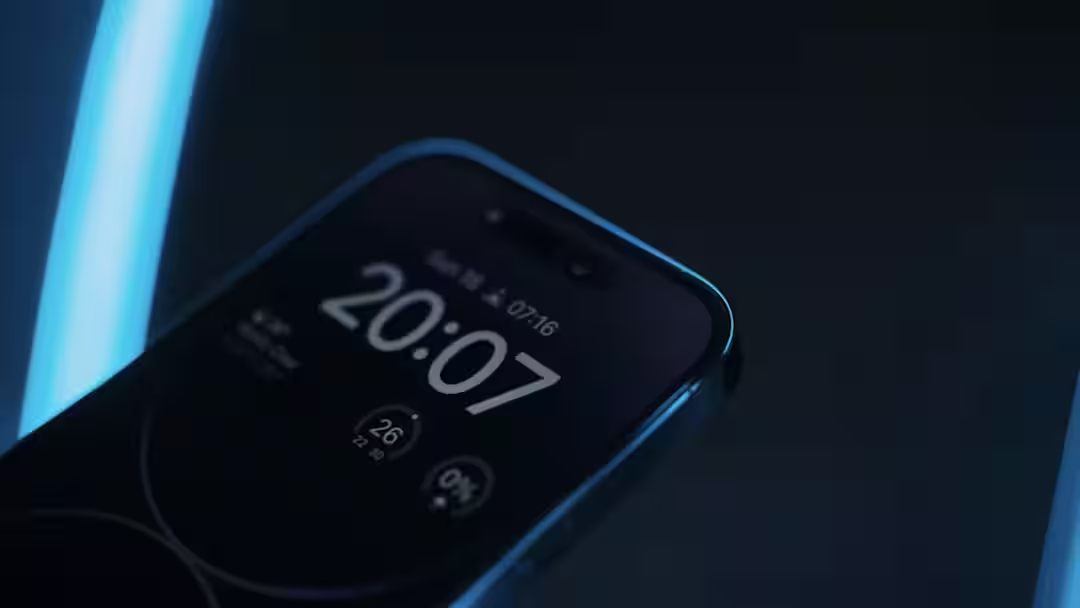
iPhone Lock Screen: Lock screen is an essential part of iPhone. On this you can see time, date and notifications etc. and for this there is no need to unlock the iPhone. It also provides privacy and when locked, no one can access your personal data. Apart from these basic things, there are many other functions in the iPhone lock screen, which are not talked about much. Today we will know what functions the iPhone lock screen can do.
Camera and flashlight can be accessed only from the lock screen
Many times such moments come which need to be captured immediately. If there is a delay of just a few seconds, that moment is gone forever. Looking at this, a camera icon is found on the lock screen of the iPhone. As soon as you tap on it, the camera app opens and you can capture the photo the very next moment. For this, there is no need to unlock the iPhone and open the camera app. Similarly, the flashlight can be switched on-off from the lockscreen.
live activity
Live Activity feature is available in iPhone, which shows updates of many apps on the lock screen itself. For example, if you have booked an Uber, there is no need to keep the app open to track the cab. Its activity will remain visible only on the lock screen of the iPhone. Similarly, the match score can be seen live on the lock screen through apps like JioHotstar etc.
widget
If you feel that you are not getting enough information on the lock screen and have to unlock the iPhone again and again to open an app, then you can take the help of widgets. For this, long press to customize the lock screen. After this you will see the option of Ad Widget. In this, you can select any app of your choice, all the information related to which will start appearing on the lock screen.
use of siri
Apple’s voice assistant Siri makes the lock screen even more attractive. Actually, Siri can be used from the lock screen only. For this you will have to say ‘Hey Siri’ or you can summon Siri by pressing the power button. After activating Siri, you will be able to run other functions of the iPhone from the lock screen itself.
Read this also-
Apple will launch new products, apart from the new look iPhone, there will be many more things in the list