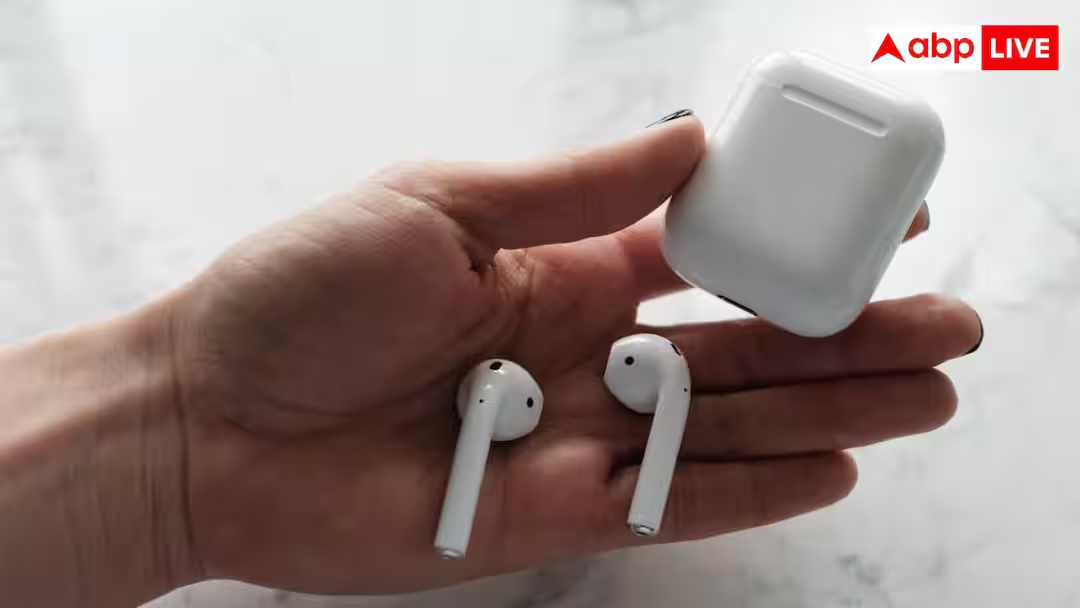
How To Fix Earpods: EarPods are among the most used wireless earbuds today. They are easy to use and connect easily with many devices. However, sometimes it happens that suddenly only one of the two EarPods works, while the other one either does not connect or stops making sound intermittently.
Many people consider it a hardware malfunction and start thinking of buying new EarPods, whereas in most cases the problem is related to software, Bluetooth, battery or settings. In such a situation, let us now tell you how you can fix it if an EarPod suddenly stops working.
First check whether the battery is charged or not
If only one earPod is working, first check its battery. Many times, after both the EarPods are charged simultaneously, the battery of one gets drained first. In such a situation, keep both the EarPods in the charging case and open the case near your phone. With this, the batteries of both the earbuds will be shown separately. If the battery of any one is low then let it get fully charged first.
Reinsert the EarPods into the case
Sometimes the EarPods are not connected properly, in such a situation the EarPods do not work. Keep it in the charging case for a few seconds, then take it out again and put it in your ear, usually this will automatically connect it again.
Turn Bluetooth off and then on again
Disturbance in Bluetooth connection can also be the reason for this problem. Turn off Bluetooth on your phone or device that AirPort is connected to. After about 15 seconds, turn it on again and reconnect the EarPods. Sometimes just doing this solves the problem.
Also read-What is the Blue Arrow seen in iPhone? 90% users do not know its real meaning
restart the device
If the problem persists after refreshing Bluetooth, restart your phone or other device. After this reconnect the EarPods. Many times, temporary bugs in the system get fixed automatically after restart.
Clean the EarPods thoroughly
Dust, ear wax, or dirt accumulation on the EarPod’s speaker grill or charging connect can also cause the EarPods 1 to stop working or their sound may become very low. In such a situation, clean the earpods and charging case with the help of soft and dry cloth, cotton scrub or soft brush. Do not use any sharp object or excess water.
Also read-Now you can chat on WhatsApp without giving your number! New Username feature arrived