Skip to content
Sunday, July 12, 2026
  • About Us
  • Contact Us
  • Terms & Conditions
  • Disclaimer
  • Privacy Policy

24 Hours World News

Random posts
  • Home
  • Cricket
    • Cricket English
    • Cricket Hindi
    • Sports English
    • Sports Hindi
  • Education
    • Education English
    • Education Hindi
    • Bollywood
    • Science Hindi
  • Entertainment
    • Entertainment English
    • Entertainment Hindi
  • Astrology
    • Astrology English
    • Astrology Hindi
  • Life & Style
    • Life & Style English
    • Life & Style Hindi
  • Mobile & Tabs
    • Tech English
    • Tech Hindi
  • Business
  • Contact Us
  • About Us
  • Contact Us
  • Terms & Conditions
  • Disclaimer
  • Privacy Policy

24 Hours World News

Random posts
  • Home
  • Cricket
    • Cricket English
    • Cricket Hindi
    • Sports English
    • Sports Hindi
  • Education
    • Education English
    • Education Hindi
    • Bollywood
    • Science Hindi
  • Entertainment
    • Entertainment English
    • Entertainment Hindi
  • Astrology
    • Astrology English
    • Astrology Hindi
  • Life & Style
    • Life & Style English
    • Life & Style Hindi
  • Mobile & Tabs
    • Tech English
    • Tech Hindi
  • Business
  • Contact Us
  • Home
  • Tech English
  • Google Privacy Settings: Google’s AI tools will not be able to steal your data, change these 5 settings today
  • Tech English

Google Privacy Settings: Google’s AI tools will not be able to steal your data, change these 5 settings today

admin1 hour ago03 mins

The most important setting is Smart Features in Gmail. This feature reads your emails and makes smart suggestions, like automatically adding meeting details to your calendar. If you don't want AI to scan your email, turn it off. In such a situation, to turn it off, go to Gmail's Settings, then uncheck the Smart Features option in the General tab. Keep in mind that turning it off may also turn off some useful features like spell-check and smart compose.

The most important setting is Smart Features in Gmail. This feature reads your emails and makes smart suggestions, like automatically adding meeting details to your calendar. If you don’t want AI to scan your email, turn it off. In such a situation, to turn it off, go to Gmail’s Settings, then uncheck the Smart Features option in the General tab. Keep in mind that turning it off may also turn off some useful features like spell-check and smart compose.

Apart from this, another most important setting is Gemini Apps Activity. By default, Google saves your conversations with Gemini and sometimes it is also used to improve the AI ​​model. To turn it off, you will have to go to myactivity.google.com and open Gemini Apps Activity and go to the Keep Activity option and turn it off. After doing this your new conversation will not be saved.
Apart from this, another most important setting is Gemini Apps Activity. By default, Google saves your conversations with Gemini and sometimes it is also used to improve the AI ​​model. To turn it off, you will have to go to myactivity.google.com and open Gemini Apps Activity and go to the Keep Activity option and turn it off. After doing this your new conversation will not be saved.

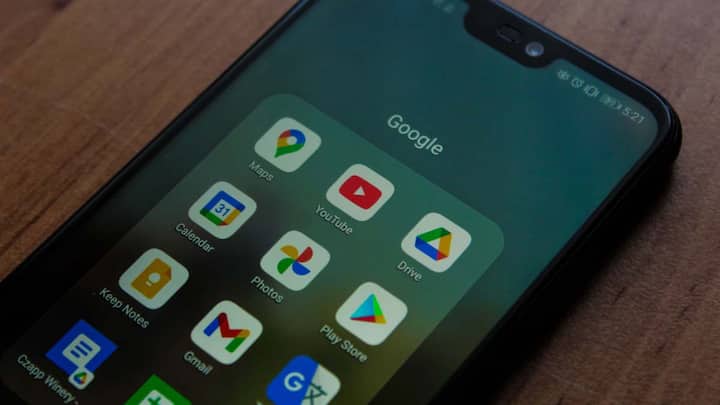
Smart features work not only in Gmail, but also in other Workspace apps like Google Chat, Meet and Drive. To turn it off, you will have to go to Settings and go to the Google Workspace Smart Features option and turn it off from there. You will find this option on mobile in the section on Data Privacy. Turning off this setting will also reduce personalized suggestions in Maps, Wallet and Google Assistant.
Smart features work not only in Gmail, but also in other Workspace apps like Google Chat, Meet and Drive. To turn it off, you will have to go to Settings and go to the Google Workspace Smart Features option and turn it off from there. You will find this option on mobile in the section on Data Privacy. Turning off this setting will also reduce personalized suggestions in Maps, Wallet and Google Assistant.

There is a feature in Gmail called Smart Features. This feature reads your emails and makes smart suggestions, like suggesting replies or automatically adding meeting details to your calendar. If you don't want AI to scan your email, you can turn it off. For this, go to Gmail's Settings, then uncheck the Smart Features option in the General tab.

There is a feature in Gmail called Smart Features. This feature reads your emails and makes smart suggestions, like suggesting replies or automatically adding meeting details to your calendar. If you don’t want AI to scan your email, you can turn it off. For this, go to Gmail’s Settings, then uncheck the Smart Features option in the General tab.
Google also saves information related to your search, location and app usage, which is called Web & App Activity. This data is also used to personalize AI features. To reduce this, go to your Google Account and open the Data & Privacy section and turn off Web & App Activity there or delete old data. By doing this your data related to browsing and search will be safe.

Google also saves information related to your search, location and app usage, which is called Web & App Activity. This data is also used to personalize AI features. To reduce this, go to your Google Account and open the Data & Privacy section and turn off Web & App Activity there or delete old data. By doing this your data related to browsing and search will be safe.

The last but not least setting is Ad Personalization. Google shows you targeted advertisements based on your activities, for which it uses your data. To turn it off, go to Settings of your Google Account, go to Ad Settings or My Ad Center and turn off Personalized Ads. This will limit the advertising profiles created based on your data. By checking these five settings and turning them off as per need, you can keep your personal data safe from Google's AI tools to a great extent. Take some time and check the settings of your Google account today itself.

The last but not least setting is Ad Personalization. Google shows you targeted advertisements based on your activities, for which it uses your data. To turn it off, go to Settings of your Google Account, go to Ad Settings or My Ad Center and turn off Personalized Ads. This will limit the advertising profiles created based on your data. By checking these five settings and turning them off as per need, you can keep your personal data safe from Google’s AI tools to a great extent. Take some time and check the settings of your Google account today itself.

Published at : 12 Jul 2026 02:10 AM (IST)

Tags:

Technology News Google Privacy Settings

technology photo gallery

Source link

admin
admin
Tagged: AI data security AI privacy tips Digital Privacy Google account settings Google AI privacy Google AI tools Google privacy settings how to protect personal data Personal Information Security technology news

Post navigation

Previous: जापान के लिए अंतरिक्ष मील का पत्थर, सफलतापूर्वक लॉन्च किया गया, पुन: प्रयोज्य रॉकेट को उतारा गया
Next: Why is the story of Shiva and Narasimha special for Gen Z? Know the biggest lesson of self-control

Leave a Reply Cancel reply

Your email address will not be published. Required fields are marked *

Related News

Meta AI Glasses Privacy Update: Meta Glasses will not work if camera light is tampered with, changes made in privacy settings

admin19 minutes ago 0

Smart Water Tank Monitoring System: Now check the level of water tank through mobile, motor will also be controlled remotely.

admin2 hours ago 0

What is the difference between HDMI 2.1, USB-C and Display Port? Know which one is better for monitor

admin3 hours ago 0

You can change your old email address in minutes! 99% people still don’t know this trick of Gmail

admin4 hours ago 0

Trending News

Entertainment English
Alpha Day 9 BO: Alia Bhatt’s film ‘Alpha’ blows up on the ninth day, enters Rs 50 crore club

Recent Posts

  • Alpha Day 9 BO: Alia Bhatt’s film ‘Alpha’ blows up on the ninth day, enters Rs 50 crore club
  • Sawan 2026: Which poison is in Shiva’s neck? do you know its name
  • Meta AI Glasses Privacy Update: Meta Glasses will not work if camera light is tampered with, changes made in privacy settings
  • बीएसईबी ने आधिकारिक वेबसाइट पर मान्यता प्राप्त डीएलएड संस्थानों की सूची अपलोड की; 15 जुलाई तक आपत्तियां आमंत्रित
  • वेलकम टू द जंगल फुल मूवी कलेक्शन: ‘वेलकम टू द जंगल’ बॉक्स ऑफिस कलेक्शन दिन 17 [LIVE]: ‘धमाल 4’ की रिलीज और वैश्विक स्तर पर 183 करोड़ रुपये की कमाई के बीच अक्षय कुमार अभिनीत फिल्म की नजर 130 करोड़ रुपये पर है | हिंदी मूवी समाचार

Archives

  • July 2026
  • June 2026
  • April 2026
Newsmatic - Copyright © 2026 24Hoursnews. All rights reserved. For reprint rights. Powered By 24HoursNews.
  • Privacy Policy
  • Contact Us

