Skip to content
Sunday, July 19, 2026
  • About Us
  • Contact Us
  • Terms & Conditions
  • Disclaimer
  • Privacy Policy

24 Hours World News

Random posts
  • Home
  • Cricket
    • Cricket English
    • Cricket Hindi
    • Sports English
    • Sports Hindi
  • Education
    • Education English
    • Education Hindi
    • Bollywood
    • Science Hindi
  • Entertainment
    • Entertainment English
    • Entertainment Hindi
  • Astrology
    • Astrology English
    • Astrology Hindi
  • Life & Style
    • Life & Style English
    • Life & Style Hindi
  • Mobile & Tabs
    • Tech English
    • Tech Hindi
  • Business
  • Contact Us
  • About Us
  • Contact Us
  • Terms & Conditions
  • Disclaimer
  • Privacy Policy

24 Hours World News

Random posts
  • Home
  • Cricket
    • Cricket English
    • Cricket Hindi
    • Sports English
    • Sports Hindi
  • Education
    • Education English
    • Education Hindi
    • Bollywood
    • Science Hindi
  • Entertainment
    • Entertainment English
    • Entertainment Hindi
  • Astrology
    • Astrology English
    • Astrology Hindi
  • Life & Style
    • Life & Style English
    • Life & Style Hindi
  • Mobile & Tabs
    • Tech English
    • Tech Hindi
  • Business
  • Contact Us
  • Home
  • Tech English
  • Is Google AI reading your personal emails? Your privacy will be maintained in these ways
  • Tech English

Is Google AI reading your personal emails? Your privacy will be maintained in these ways

admin13 hours ago02 mins

Let us tell you that there are many AI based Smart Features in Gmail which provide you many facilities by using the information related to your email, which makes your work easier than before. Now Google uses the information from your Gmail to provide these features. However, by doing this you can also stop Google.
Let us tell you that there are many AI based Smart Features in Gmail which provide you many facilities by using the information related to your email, which makes your work easier than before. Now Google uses the information from your Gmail to provide these features. However, by doing this you can also stop Google.

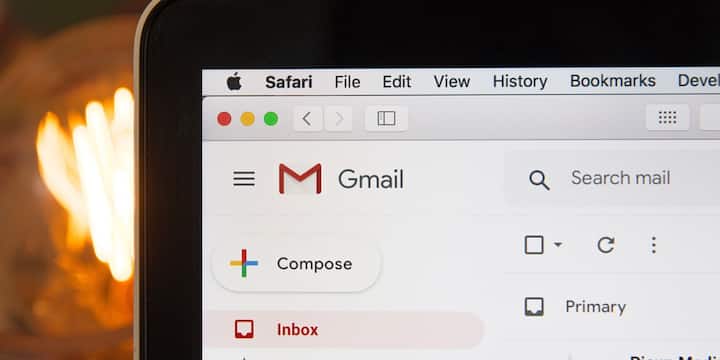
Now if you also want to keep Gmail secure, then you will have to follow some important things. First of all, open Gmail on your computer or laptop and click on Settings on the top right. Now select See all settings option. After this scroll down in the General tab. Turn off (Uncheck) the option in front of Smart Features and Personalization and select Turn Off in the pop-up that appears.
Now if you also want to keep Gmail secure, then you will have to follow some important things. First of all, open Gmail on your computer or laptop and click on Settings on the top right. Now select See all settings option. After this scroll down in the General tab. Turn off (Uncheck) the option in front of Smart Features and Personalization and select Turn Off in the pop-up that appears.

After this, go to the Google Workspace Smart Features section below and click on Manage Workspace smart features settings. Also turn off both the options given here. Finally, save the new settings by clicking on Save Changes.

After this, go to the Google Workspace Smart Features section below and click on Manage Workspace smart features settings. Also turn off both the options given here. Finally, save the new settings by clicking on Save Changes.

For your information, let us tell you that if you use Gmail on a smartphone, then just changing the settings on the computer is not enough. Many times the settings of mobile app and web version remain different. Therefore, go to the Gmail app and check these options once.
For your information, let us tell you that if you use Gmail on a smartphone, then just changing the settings on the computer is not enough. Many times the settings of mobile app and web version remain different. Therefore, go to the Gmail app and check these options once.

Additionally, you will have to re-check the settings after every app update and do the same again. This is because after the app is updated, some settings automatically come into default mode.

Additionally, you will have to re-check the settings after every app update and do the same again. This is because after the app is updated, some settings automatically come into default mode.

Published at : 18 Jul 2026 02:43 PM (IST)

technology photo gallery

Source link

admin
admin
Tagged: ai features AI Privacy cyber security data privacy Email Privacy email security Gmail Hacks Gmail Privacy Gmail Security Gmail Tips Google Account Google AI Google AI Settings Google Gmail Google Settings Google Workspace Online Privacy Personal Emails privacy protection private email TECH NEWS TECH NEWS HINDI tech tips

Post navigation

Previous: बटवार 1947 ट्रेलर: राजकुमार संतोषी निर्देशक में सनी देओल ने विभाजन की भयावहता को दर्शाया: बॉलीवुड समाचार
Next: Easy Garlic Peeling Trick: With this trick you will peel the entire garlic in 30 seconds, no need of a knife.

Leave a Reply Cancel reply

Your email address will not be published. Required fields are marked *

Related News

Attention Big warning for dehumidifier users, doing so can lead to a major accident.

admin54 minutes ago 0

Is your OLED TV overheating? This could be the reason, know what to do

admin2 hours ago 0

If you see these 5 signs in your CPU then understand that it has gone bad, identify it in time otherwise it can cause big loss.

admin3 hours ago 0

Before selling your old smartphone, do not make this mistake, definitely check these things

admin9 hours ago 0

Trending News

Science Hindi
इराक में पुरातत्वविदों ने नीनवे के शमाश गेट पर राजा अशर्बनिपाल के 2,600 साल पुराने एक दुर्लभ असीरियन स्टील का पता लगाया, लगभग एक दशक बाद आईएसआईएस ने प्राचीन शहर को नुकसान पहुंचाया था।

Recent Posts

  • इराक में पुरातत्वविदों ने नीनवे के शमाश गेट पर राजा अशर्बनिपाल के 2,600 साल पुराने एक दुर्लभ असीरियन स्टील का पता लगाया, लगभग एक दशक बाद आईएसआईएस ने प्राचीन शहर को नुकसान पहुंचाया था।
  • फीफा विश्व कप 2026 फाइनल के बाद केरल ने स्कूलों और कॉलेजों में छुट्टी की घोषणा की
  • जन नायकन: मुख्यमंत्री विजय स्टारर ‘जन नायकन’ की बुकिंग 23 जुलाई की रिलीज से पहले तमिलनाडु में शुरू, एफडीएफएस टाइमिंग का खुलासा | तमिल मूवी समाचार
  • जापान में भारतीय व्यक्ति ने ऑफिस से सिर्फ 3 दिन काम करने का मजाक उड़ाया; इंटरनेट कहता है, ‘सपना जीना’ |
  • आपकी जन्मतिथि के लिए सर्वश्रेष्ठ फेंगशुई भाग्यशाली आकर्षण

Archives

  • July 2026
  • June 2026
  • April 2026
Newsmatic - Copyright © 2026 24Hoursnews. All rights reserved. For reprint rights. Powered By 24HoursNews.
  • Privacy Policy
  • Contact Us

