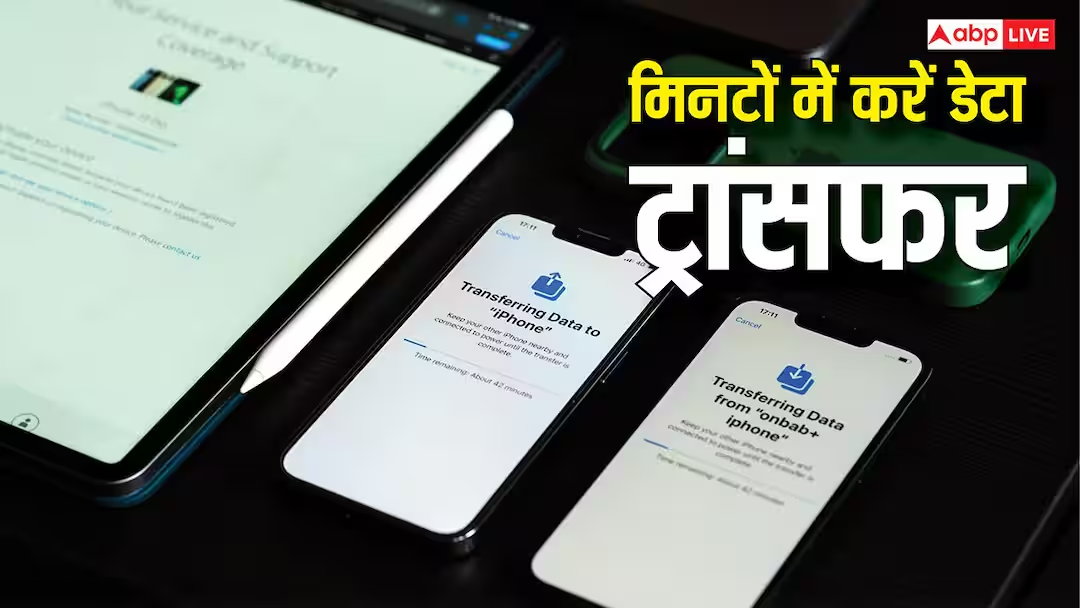
Data Transfer One Phone to Another: Every working person faces problems when a phone’s storage becomes full. In such a situation, the problem is not in buying a new phone, but in how to transfer the important photographs, contacts, messages and important data in their old phone to the new phone. Not everyone is aware of this, that is why many people carry both phones.
In such a situation, let us tell you that today’s smartphones keep coming with new features. Similarly, in today’s smartphones, it has been made very easy to transfer data from one phone to another. For this, all that is required is that both your phones are charged above 50%, because transfer takes time and Wi-Fi is also active, due to which the battery of the phone gets drained. However, if there is any interruption during the transfer, then there may be a problem in the transfer.
How to send data from Android to Android phone?
If you are replacing one Android with another Android phone then it is very easy to transfer data in it. As soon as you turn on the new phone, you will be asked during setup whether you want to copy data from the old device. In such a situation, you have to choose Yes option here and sign in with your Google account. After this, a QR code will appear on both the phones, once scanned, both the devices will be connected. Then you have to choose what to transfer among contacts, photos, messages, apps. This process may take at least 30 minutes to hours to complete, so it is important to keep both the phones well charged and close to each other, otherwise there may be interruptions in your data transfer.
Also read: What is Loop Engineering, know how it will change the way of using AI?
Transferring from Android to iPhone or iPhone to Android
If you are changing the variety of your phone, meaning you are going from Android to iPhone or iPhone to Android, then there is no need to worry about this either. Even during this period, data transfer happens very easily. Apple’s special app Move to iOS works to move from Android to iPhone. Download it to your old Android phone, then enter the code you see on your new iPhone and the devices will connect to a temporary Wi-Fi network. After this, things like contacts, messages, photos will be transferred automatically. To switch from iPhone to Android, select Copy from iPhone option in the setup of the new Android phone and connect both the phones with cable or Wi-Fi.
Keep these things in mind before transferring
Often people have a misconception that transferring data to the phone means that your WhatsApp messages and documents are also transferred, but the truth is different. To transfer WhatsApp chats and documents, one often has to scan the QR code separately. Also, music, PDF and some special notes are sometimes not transferred automatically, they have to be downloaded manually from cloud services like Google Drive or Dropbox.
Also read: These 4 Web Browser Apps compete with Chrome, will change your way of using the Internet